
Logging in to an online casino should be a quick, straightforward process, whether you are using a desktop computer, smartphone, or tablet. For players in the United Kingdom, Casino 9 provides a familiar account-access system designed to help registered users return to their games, payment tools, bonuses, and profile settings without unnecessary steps.
This guide explains how to log in to Casino 9 easily, what information you need, how to solve common access problems, and how to keep your account secure. UK players can also visit 9casino-uk.com to find the current access point and additional information about the platform.
What You Need Before Logging In
Before attempting to access your Casino 9 account, prepare the details used during registration. In most cases, you will need:
- The email address or username connected to your account.
- Your account password.
- A stable internet connection.
- Access to the device or phone number used for security verification, if requested.
It is best to use the official Casino 9 website rather than following links from unknown advertisements, social media messages, or unsolicited emails. Checking the spelling of the web address before entering personal information is an important part of safe online gambling.
Step-by-Step Casino 9 Login Guide
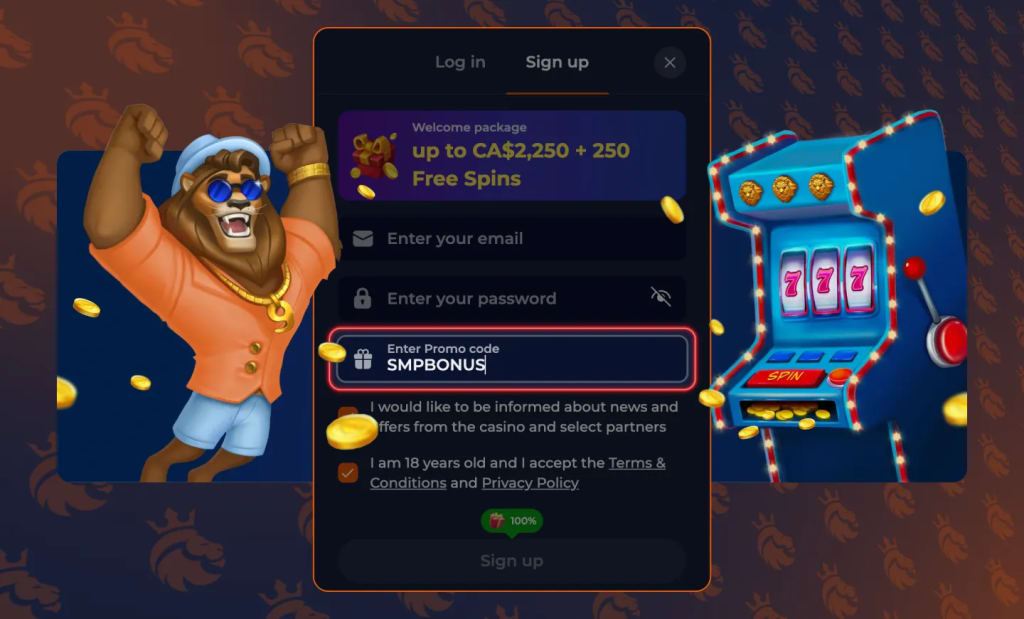
Open the Official Website
Launch your preferred browser and open the official Casino 9 website. The service should load in a standard browser such as Chrome, Safari, Firefox, or Edge. UK players should check that the website is available in their location and that the page uses a secure connection.
A padlock symbol beside the address bar usually indicates that the connection is encrypted. This does not replace responsible browsing, but it is a useful first security check.
Select the Login Button
Look for the Login, Sign In, or similar button, usually positioned near the upper-right corner of the homepage. Select it to open the account-access window.
If you are viewing the mobile version, the login option may be inside a menu represented by three lines. Tap the menu icon, then choose the account or login section.
Enter Your Account Details
Type your registered email address or username into the first field. Enter your password in the second field. Take care when entering capital letters, numbers, and special characters, because passwords are normally case-sensitive;
If your browser offers to fill in the details automatically, confirm that the saved information belongs to your own Casino 9 account. Avoid using automatic login on public or shared devices.
Complete Any Security Check
Casino 9 may ask you to complete an additional security step. This can include a verification code, a confirmation message, or a simple anti-bot check. Follow the instructions shown on screen and avoid refreshing the page while the verification is being processed.
Confirm Access to Your Account
After submitting your details, wait for the account dashboard to load. Once logged in, you should be able to review your balance, open the casino lobby, manage bonuses, check payment options, and access responsible-gambling settings.
Always log out when using a shared device. On a personal device, you may choose to use a secure password manager, but storing login details directly in a public browser is not recommended.
How to Reset a Forgotten Password
Forgetting a password is common, especially when using different passwords for multiple websites. Casino 9 normally provides a password-recovery option on the login screen.
- Open the Casino 9 login page.
- Select Forgot Password or the equivalent recovery link.
- Enter the email address associated with your account.
- Check your inbox for a password-reset message.
- Follow the link and create a new password.
If the message does not appear immediately, check your spam, junk, promotions, or other filtered folders. Do not repeatedly request new links, since older recovery messages may stop working after a newer request has been created.
A strong replacement password should be unique, difficult to guess, and unrelated to your name, date of birth, favourite team, or other publicly available information. Never send your password to another person, including someone claiming to represent casino support.
Common Login Problems and Solutions
Incorrect Username or Password
The most frequent login problem is an incorrect entry. Check whether Caps Lock is enabled and make sure there are no spaces before or after the username. If you copied the password from another application, manually re-enter it to rule out hidden characters.
After several unsuccessful attempts, the account may be temporarily restricted for security reasons. In that situation, wait for the stated period or contact official support rather than continuing to guess.
Website Will Not Load
A website that does not load may be affected by a temporary technical issue, local connection problem, browser error, or regional availability restriction. Try opening another trusted website first to check your connection. You can then restart the browser, clear temporary cache files, or try a different supported browser.
Using a different network may also help identify the source of the issue. However, players should not use tools to bypass legal or geographical restrictions. Access should always comply with UK regulations and the casino’s current terms.
Verification Email Has Not Arrived
If you are waiting for a verification or password-reset email, confirm that you entered the correct email address. Search your mailbox for the casino name and inspect filtered folders. If the message still cannot be found, contact support through the official website and provide only the information necessary to identify your account.
Account Temporarily Restricted
An account can be restricted because of unusual login activity, incomplete identity verification, payment checks, or a suspected breach of the terms. A restriction does not necessarily mean that the account has been permanently closed.
Contact Casino 9 support through an official channel and follow the instructions provided. Do not create multiple accounts to avoid a restriction, as this may create additional verification problems.
Frequently Asked Questions
Can I log in to Casino 9 from a mobile phone?
Yes, if the service is available on your device and in your location. Open the official website in a mobile browser, select the menu, and tap the login option. The page should adapt to the screen size without requiring an unofficial application.
Do I need to log in again after closing the browser?
Usually, yes. Some browsers can remember a session, but security settings, cookies, device changes, or account policies may require you to enter your details again. Logging in each time is safer on shared devices.
Can I use the same account on several devices?
Many online casinos allow access from more than one personal device, but the account must belong exclusively to the registered player. Avoid simultaneous logins from unusual locations and check the terms relating to account security and device use.
What should I do if I suspect someone accessed my account?
Change your password immediately, log out of other sessions if that option is available, and contact official support. Review recent account activity, deposits, withdrawals, and gameplay. If payment information may have been exposed, contact the relevant payment provider as well.
Keeping Your Casino 9 Login Secure
Good account security begins with habits that are simple to maintain. Use a unique password and update it if you suspect that it has been exposed. Enable two-step verification when offered, and keep your email account protected because it may be used for account recovery.
- Do not share your password or verification codes.
- Avoid logging in through public Wi-Fi where possible.
- Keep your operating system and browser updated.
- Do not install unofficial casino applications or browser extensions.
- Check the website address before entering payment or login details.
- Log out after using a public or borrowed device.
Casino support should not ask for your complete password. If a message requests sensitive information, inspect the sender carefully and access support directly through the official website instead of replying to the message.
After You Log In
Once access is successful, take a moment to review your account information. Confirm that your personal details are accurate, check whether identity verification is complete, and inspect the available responsible-gambling controls.
Before playing, set a budget and a time limit. Casino games are based on chance, and no login method, strategy, or bonus can guarantee a win. Promotional offers may have eligibility conditions, wagering requirements, expiry dates, and maximum withdrawal rules, so read the terms before accepting them.
UK players should also confirm that they meet the legal age requirement and comply with the current rules applying to online gambling in their location. If gambling stops feeling entertaining or begins to affect finances, relationships, work, or daily routines, use the available deposit limits, time-outs, self-exclusion tools, and independent support services.
Final Checklist
For a smooth Casino 9 login, use the official website, enter the correct registered details, complete any security verification, and keep your account information private. If you forget your password, use the built-in recovery process rather than creating another account. For technical or verification problems, contact official support and provide clear, accurate information.
With these steps, logging in to Casino 9 should take only a short time, while careful password management and responsible play help keep the overall experience secure for players in the United Kingdom.